

MU Online Guild System
Guilds play an important role in the game-play of MU Online. It allows players to create their own little communities and help each others inside the game. Some guilds were created to unite friends, some were created to unite powers. In other words, guilds are a symbol of unity in the game-play of MU Online.
How To Create A Guild
It is a simple task to create a guild in MU Online. Simply go to the guild minister NPC (a.k.a. 👤 Royal Guard Captain Lorence) located in 🧭 Devias (215,45) and click on him to apply for a guild creation. However, there are some requirements:
- Guild master level should be at least 100
- Guild name should be at least 4 letters long (No symbols allowed)
Guild's Mark
Guild's mark, also known as Guild's Logo, are the symbol that represent the guild. Once a player have inform Mister Lawrence of his/her intention of creating a guild, that player should then enter the guild's name that he/she desires and create a guild's logo of his/her own. Once the guild's name and logo had been made, one cannot change it.
Guild's Position
Each communities/groups have its own unique features. For guild in the MU Online world, a Guild Master can promote his members to give them a position he thinks that they deserve or demote them.
- To promote a guild member, a Guild Master simply click on their name and select the 'Promote' button at the bottom of the guild tab. A option screen will pop up and from there a Guild Master can choose which position (Assistance Guild Master or Battle Master) he thinks his member deserve.
- To demote a guild member whom are in position, a Guild Master must click on their name and select the 'Demote' button at the bottom of the guild tab.
Disbanding/Leaving Guild
As easy to create a guild, disbanding/leaving a guild are an easy task as well.
To leave a guild, press 'G' and then select the 'Guild' tab, on the left-corner, then press 'Withdraw' down at the bottom of the 'Guild' tab.
To disband a guild, press 'G' and then select the 'Guild' tab, on the left-corner, then press 'Disband' down at the bottom of the 'Guild' tab.
Guild's Alliance
In society, everyone must have a friend or an enemy, or both (Frenemy). In Mu Online world, this concept is also being apply without any exception.
Guild alliances allow guilds to form alliances with each other and is a requirement for a guild to take over the dragon castle in the 🧭 Valley of Loren.Each guild is allowed a minimum of 1 and a maximum of 5 allies.A guild that will undergo an alliance must decide who will be the main guild in their alliance as the sub guilds will be considered subordinates of the main guild.To determine the main guild for an alliance the sub-guilds must be the one to request an alliance with the main guild.
- Main Guild - The main guild's guildmaster will be considered the lord of the castle when the alliance takes over the castle.
- Allied Guilds - are considered support guilds or extensions that can help defend the castle.
Allied guilds' names will appear in green to indicate your alliance to them.
To create a guild alliance, simply press 'D' and find 'Guild Alliance' and click it. Next, move the cursor to the guild master one desire to have an alliance with and click him. However, there are requirement for such action, such as:
- Guild that being alliance to must have at least 10 members.
Guild's Hostility
Guilds can now declare hostilities towards other guilds. When this is enabled all members of the opposing guild will appear as they are flagged for PK and no penalty will be given for attacking and killing members of the opposing guild.Hostile guilds' names will appear red on your screen as if they were flagged as an outlaw. Attacking and defeating hostile guild members will not flag you as an outlaw.
Guild's Competition
Guild's War
| Command | Command description | Price |
|---|---|---|
/war |
<guild> - Challenge another guild |
With the guild duel, there are no drops of items or of career levels. In the event that you are challenged to a guild duel from another guild master, the above screen will appear. If you do not wish to engage in a duel, you can reject the proposal by pressing 'Cancel'. While enjoying the game, you may be repeatedly challenged to a guild duel. In that case you can block requests by setting your option to 'Request Off'. Request Off is a function to block all incoming requests for trade, party play, and guild duel requests. Flagging your 'Request On' option will make guild duel requests possible again.
Guild's Battle Soccer
| Command | Command description | Price |
|---|---|---|
/soccer |
<guild> - Challenge another guild to battle soccer. Teams of 5–10 players compete by scoring goals. |
Challenge another guild to a Battle Soccer match.
Usage:
/soccer <GuildName>
Requirements:
- Each guild team must have between 5 and 10 players.
- Players must create a party before joining the match.
- Both guilds must meet the participation requirements.
- Teams score points by sending the ball into the opposing guild\'s goal.
- Each goal awards 20 points.
- The guild with the highest score when the match ends is declared the winner.
Battle Soccer can only be started while the Battle Soccer event is active. Verify both guilds and all participating players before sending the challenge.
|
IMAGE
|
EVENT NPC DESCRIPTION
|
|---|---|
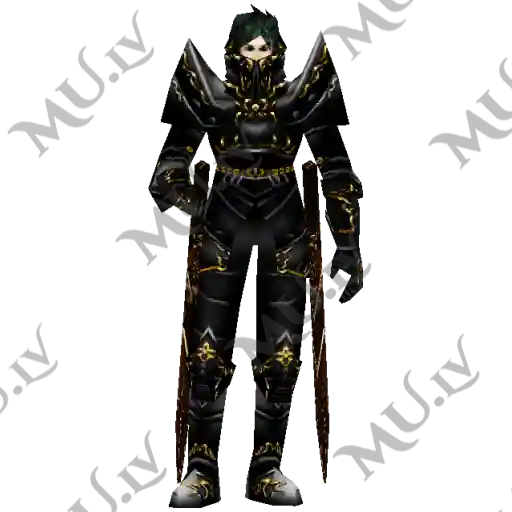 |
Royal Guard Captain LorenceRoyal Guard Captain Lorence allows experienced players to create an official Guild! A Guild is a groups of players which support each other as a small community. There are many Mini-games which involve Guild participation, and therefore being part of a strong Guild can be very rewarding! NPC located at Devias (215, 46). NPC |
 Loading...